AI video for business: how much a clip costs and which tool to make it with
A short business video made with AI is paid for by the attempt: you pay for each one, not for finished scenes. By our calculation at Kaufman Lab, based on August and October 2026 prices, an entry-level paid plan for a video generator at $8.80–15 a month buys 10–16 five-second attempts. If one in four is usable, you cannot put together five scenes in a month. The failure rate sets the price, not the plan. First make a few attempts at one scene for free in GigaChat, Sber's AI assistant, and count how many of them are usable.
Roman Kaufman, founder of Kaufman Lab · Data as of: November 2026
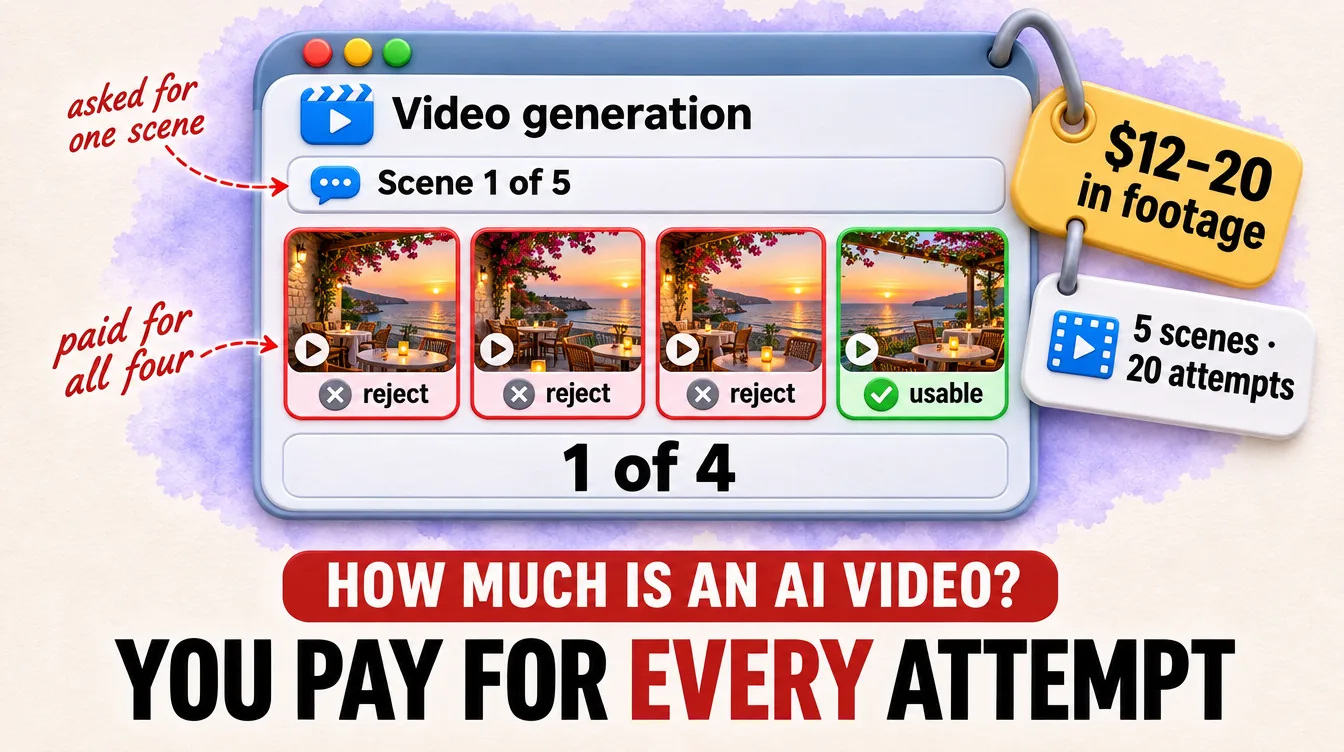
In August 2026 we reviewed the AI video market. A generator gives you separate scenes a few seconds long, and you join them in another program. You pay the generator for every attempt, that is, for every run, even a failed one.
A generator's monthly plan counts seconds of video. How many of them will make it into your video?
Free AI video: clips of up to five seconds in GigaChat
You can make your first video for your own site or social media without paying. In GigaChat, Sber's model Kandinsky 6.0 Video works for free, and it makes a clip of up to five seconds with sound. The sources we found do not name a daily limit. Your own tests will show it.
A test before you pay shows how many attempts it takes to get one scene that is good enough to show.
A plan sells seconds, not finished scenes
Runway's entry paid plan, Standard at $15 a month, gives 625 credits. Credits here work as the service's internal money: you pay for seconds of video with them. According to Runway's pricing page as of October 2026, that is 52 seconds of Gen-4.5 video. At 60 credits per five seconds, that makes ten attempts, and failed ones cost the same as good ones.
Kling is similar. Its entry-level paid plan has 660 credits, and a five-second VIDEO 3.0 attempt in 1080p without sound costs 40 credits, so you get 16 attempts a month. We took Kling's prices from a pricing review on the blog of a video enhancement program. Its authors checked them against Kling's documents on August 3, 2026, and Kling's own pricing page did not open for us.
The credits also do not build up. On Standard and Pro, unused credits expire with the next payment. Carrying them over to the next month is only possible on the top plan, Max. The plan sets the number of attempts, and the failure rate decides how many of them become a video.
A month on the plan runs out before the video is done
Of the 52 seconds on Runway's entry plan, two or three five-second scenes will make it into the video if one attempt in four is usable. You cannot put together five scenes in a month.
In our market review, a five-scene video at 1 usable in 4 takes about 20 attempts and $12–20 to generate the footage. We made that estimate for Higgsfield in August 2026. For Runway it is only a rough guide. Twenty attempts at 60 credits come to 1,200 credits against 625 on Standard (our calculation). That is almost twice the monthly allowance, and you cannot save what is left for later.
A studio does not get rid of failed attempts. It puts them in the quote. In a breakdown of its own AI video quote, an AI ad studio describes a video costing about 1.5 million rubles (about $18,300 at the Bank of Russia rate of 82.15 rubles per dollar on November 15, 2026). For this video, the team makes "dozens, and sometimes hundreds, of attempts until it gets a scene of the right quality".
This studio's cheap option costs 300,000–500,000 rubles (about $3,650–6,090) and gives standard AI video with typical artifacts. Artifacts are generation glitches such as broken fingers and smeared textures. Failed attempts happen everywhere. In a studio, the team sorts them out for your money. On a plan, you do it yourself, with your own credits and evenings.
Here are all the paths side by side. Prices are as of October 2026, except three rows: Kling's come from the pricing review as of August 2026, Higgsfield's are our calculation for August 2026, and the studio's are from its quote of June 2026.
| Path | What you get | Price |
|---|---|---|
| GigaChat | a video of up to five seconds with sound | free |
| Runway Standard | 625 credits, 52 seconds, ten attempts | $15 a month |
| Kling, entry paid plan | 660 credits, 16 attempts in 1080p without sound | $8.80 a month |
| Higgsfield, our calculation | five scenes at 1 usable in 4 | from $12–20 in footage |
| AI ad studio | a video with artifacts or a clean one | 300,000–500,000 ₽ (about $3,650–6,090) or about 1.5 million ₽ (about $18,300) |
Without paying, GigaChat will show your failure rate. Every other path starts with a payment.
Choose a plan after a free test
The price of a video depends on your failure rate, and you can find it out for free, before you pay for a plan.
- Today, make five attempts at one scene in GigaChat. Describe the scene in text or upload the first frame, then describe the sound.
- The same evening, multiply the number of scenes in the video by the number of attempts per usable scene. For example, if one in five came out usable, a five-scene video will take 25 attempts. In our review the estimate assumed 1 usable in 4. On another model your rate will be different. For regular videos, also multiply by the number of videos a month.
- Choose your path before you pay. If the video is for your own site or social media, the tests and the free CapCut editor for joining scenes are enough. For ads, take only a plan whose terms directly allow commercial use. According to the pricing review, Kling's free plan does not give the right to use videos in ads. If you need a cleaner picture with artifacts removed, ask a studio for a quote. The studio, which sells such videos itself, puts a clean video at about 1.5 million rubles (about $18,300) in its breakdown.
Frequently asked questions
Which AI editor can I use to join video from an AI generator?
You can join scenes in the free CapCut editor. Generators give you separate pieces, and every video in our AI video market review was finished in Premiere, CapCut or After Effects.
Which AI is best for video?
There is no single best one. Compare the share of usable attempts and the price per second. Make the same scene five times in two services and divide the credits you spent by the number of usable scenes. That gives you the price of one scene in each.
Can I use AI video in ads?
Yes, if the service's plan gives you the right to commercial use, that is, to ads. According to the pricing review, Kling gives this right only on paid plans. We have not checked GigaChat's and Runway's terms for ads, so read them before you launch. Our article on rights to an AI-generated image shows what to look for in the terms.
Do I need to label AI video?
As of November 2026, there is no mandatory label for AI video. Russia's AI law No. 243-FZ of July 26, 2026 gives you the right to label a video but does not require it. In August 2026, a bill was submitted to the State Duma (Russia's lower house of parliament). If it is passed, from March 1, 2027 those who give access to large foundation AI models will be required to label such videos.