How to write an AI prompt
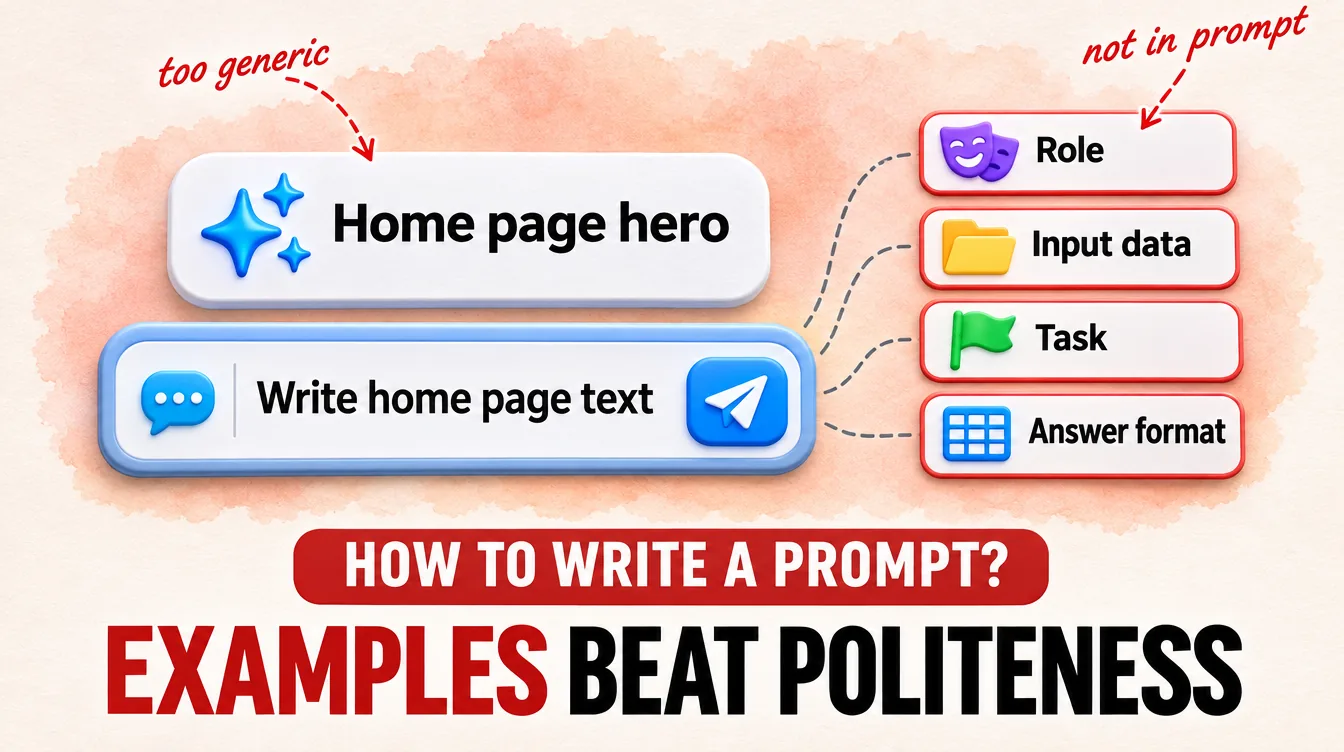
To write a prompt, give it a role, input data, a task and an answer format, as the guide from Sber (Russia's largest bank) suggests: the AI knows only what you wrote about the task. In a Wharton School test, politeness and a commanding tone barely changed accuracy on average, though on individual questions they sometimes helped and sometimes hurt. The test measured GPT-4o on multiple-choice questions in English. First check whether a stranger would understand your request.
Roman Kaufman, founder of Kaufman Lab · Data as of: October 2026
Our articles are written by a pipeline of AI models. In July 2026, the task for the AI writer had a sample line: "Here is my opinion, separate from the facts." The draft from July 14 came out almost word for word: "Here is my personal opinion, separate from the facts above."
One change to the task removed the copy, and politeness had nothing to do with it.
The AI knows only what you wrote
A prompt is a task for an AI model, and apart from it the model knows nothing about your task. Anthropic, the makers of Claude, suggest thinking of the model as a smart newcomer whom nobody has told how things are done at your place (Prompting best practices, no date). Show your request to a person who doesn't know the task. If they get confused, the model will too.
Sber's guide to GigaChat, Sber's AI assistant, has no date and splits a prompt into four parts: role, input data, task and answer format. OpenAI has similar sections (purpose, instructions, examples, context), and Anthropic advises setting a role and an answer format. The table puts them together for a home page.
| Part | What to write | For home page text |
|---|---|---|
| Role | who is answering | "You are an editor of websites for small studios" |
| Input data | what only you know | what you do, for whom, prices, timelines |
| Task | one action | "Write the first screen of the home page" |
| Answer format | list, table, length | "A headline and two short paragraphs" |
Add a reason to a rule. Instead of "no ellipses", Anthropic explains to the model that a text-to-speech engine will read the answer, and it can't pronounce them. From the explanation, the model fills out the rule by itself.
A contradiction spoils the answer even when all the parts are there. In Sber's example, a designer is asked to combine minimalism and maximalism, and the answer may turn out useless. Split two tasks into two requests. We don't ask for research and writing in one request, because that is slower and worse.
Answer format and an example matter more than politeness
A line about the answer format works better than "please". In a Wharton School test (March 4, 2025), GPT-4o and GPT-4o mini answered 198 hard multiple-choice questions 100 times each. Without a line about the answer format, accuracy dropped by 8.6 percentage points for GPT-4o and by 12.1 for mini. Politeness and commands sometimes helped and sometimes hurt, and across the whole test the difference almost disappeared. The test didn't cover website texts, but a line about the answer format is worth writing in every prompt.
The second lever is an example of a finished answer. Anthropic calls examples one of the most reliable ways to set the format, tone and structure of an answer and advises giving 3–5 different ones; Sber says even one is fine.
The AI copies a sample, but carries out a description
A description in place of a sample removed the copy. In our case, the AI repeated a short phrase from the task, but carried out the goal in its own words. This doesn't contradict the advice to give an example. A whole answer shows the format, but the model pasted a ready-made phrase as is.
On July 16 we removed the sample and described instead that the opinion stands apart by its tone, not by a stock phrase. We banned the phrase itself outright. By our review at Kaufman Lab, on July 17 the opinion block was in 15 of 17 drafts, and we found no stock phrases in the new drafts. On the same pipeline we counted how much a website article costs.
We haven't tested this in a regular chat; there it is our rule of thumb.
Build a prompt and test it on your task
The AI didn't see the phrase "Here is my opinion" and wrote the opinion by itself. It works the same with home page text. Describe what you need, and don't show how to say it.
- Write the four parts in the chat. Instead of a sample phrase, give a description and a ban, for example "calm tone, no words like 'high quality' or 'individual approach'". Check the answer against the prompt: the format should be the one you asked for, and the facts only yours.
- Write down once the things that stay the same. In ChatGPT on a computer or in the browser, open Settings → Personalization and turn on Enable customization. In the Custom Instructions field, write who you are and what tone you need. On a phone, the path is Settings → Customize ChatGPT, then the same. According to OpenAI's help page, the free plan fits 1,500 characters there, and the text may be used to train the model, so don't write anything personal. Test it in a new chat.
If the prompt is only for you, two steps are enough. Otherwise, when your staff work with it, add what counts as done and how to check it, as in the article about a task for an AI agent. For a brand's tone the method is the same: describe the tone in words and ban clichés, but don't give a sample paragraph.
Frequently asked questions
Where can I find ready-made AI prompts?
A ready-made prompt from a collection works as a frame. You can take the role and answer format, but write the data and task yourself, because a template doesn't know your business.
Do you write a prompt the same way for ChatGPT and GigaChat?
The parts are the same, but the answers will differ. OpenAI warns that even versions of one model may answer the same request differently, so test your prompt where you will work with it.
Will a prompt generator help?
A generator will format a prompt nicely, but it doesn't know your prices, clients or task. Our rule of thumb is simpler. Ask the AI to first ask you questions about the task, and only then write.
Should I refine in the same chat or a new one?
If you've piled up a lot of edits, move the finished prompt to a new chat. A fresh chat sees what a long one no longer notices.