Why does AI make up facts, and how do you catch the mistake?
AI makes up facts because it does not pull them from memory. It guesses likely words, and the tests used to grade AI models give points for a random guess but nothing for an honest "I don't know". Even a beginner can catch a made-up fact: it does not match the source. Before you publish, open every link in the answer and find the same numbers, dates and names on the page.
Roman Kaufman, founder of Kaufman Lab · Data as of: October 2026
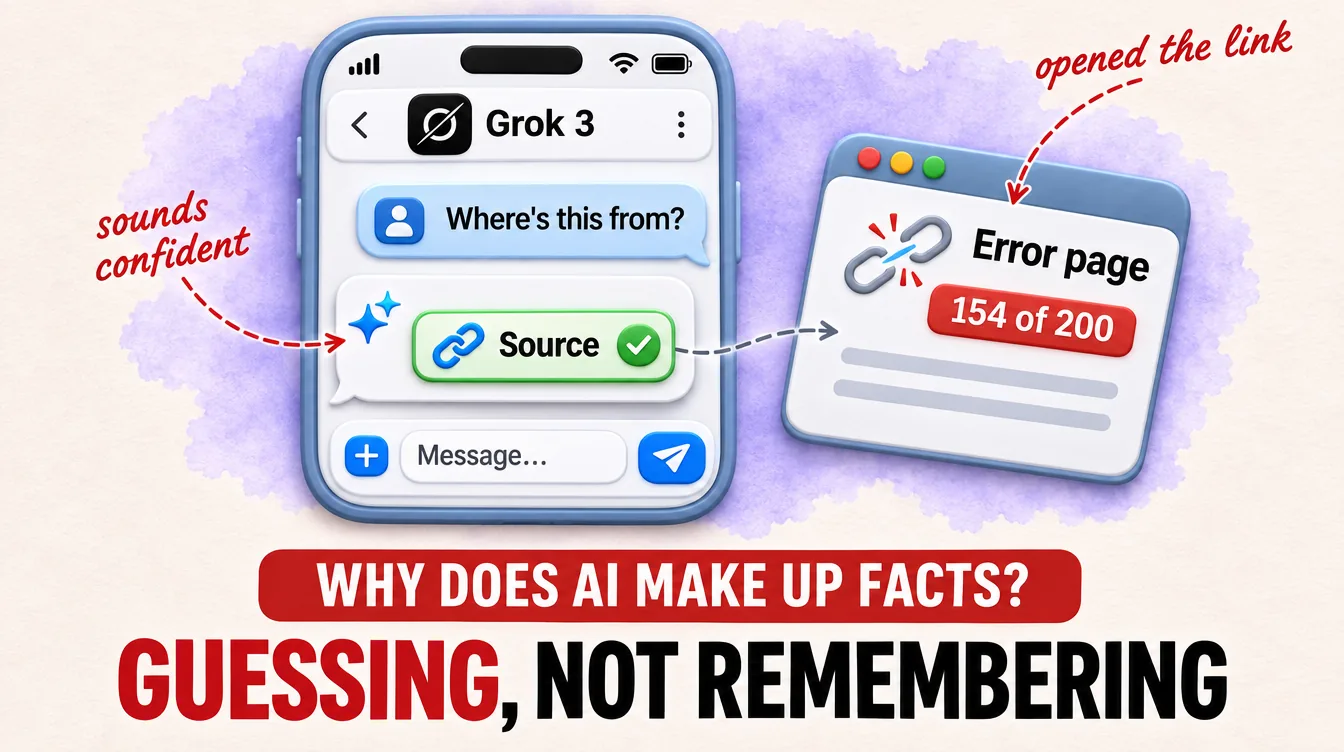
Researchers from Columbia University gave eight AI search tools excerpts from news stories. They asked the tools to name the article, the publication and the link. The excerpts were easy: a regular Google search found the original in its top three results. Will AI tools name the source when it is in plain sight?
AI guesses: "I don't know" earns no points
An AI hallucination is a confident made-up answer. Google Search's guidance on AI content, updated in October 2026, says that generative models do not retrieve facts. They predict a likely sequence of words.
Why does a model not say "I don't know"? The developer of ChatGPT explains it in an OpenAI article on why models hallucinate, dated September 5, 2025. Take the birthday of a person the model does not know. It names any date, and its chance of being right is 1 in 365. Models make the most mistakes on rare facts like this, because such facts cannot be inferred from similar texts.
The answer "I don't know" scores zero points. Across thousands of questions, a model that guesses scores more and looks better.
OpenAI showed the cost of guessing on its own test. The older model almost always answered: 24% of its answers were correct and 75% were errors. The newer model said "I don't know" more often: 22% correct and 26% errors. About the same share of correct answers, and only about a third as many errors. These are the developer's own data about its own models.
The prompt "say so if you don't know" cuts made-up facts, but not to zero
Anthropic, the company behind Claude, writes in its documentation on reducing hallucinations that allowing the model to say it does not know can sharply reduce false information. The same page gives two more techniques. For a long document, ask the model to first pull out word-for-word quotes and answer only from them. For each claim, the model should find a quote, and if it finds none, it should remove the claim.
Anthropic also suggests asking the same question several times and calls different answers a possible sign of a made-up fact. We do not trust matching answers without a source either. In our Kaufman Lab review of 29 competitor websites as of August 2026, code checked the model's quote against the page and cancelled 9 of its "yes" answers about price or timing. How to build this check into an AI task is covered in our article on prompts for an AI agent.
A link proves nothing until you open it
Most of the time, AI tools will not name the source, even when it is in plain sight. Neither the tone nor the link gives away a made-up answer. In the Tow Center study from March 6, 2025, there were 1,600 queries, and the AI tools answered more than 60% of them incorrectly.
Confidence did not give away the error. ChatGPT named 134 articles incorrectly but showed doubt only 15 times in 200 answers. The link did not give it away either. For Grok 3, out of 200 queries, 154 answers had a link that led to an error page. Even when it found the right article, it often made up the address.
The study covered only news. It says nothing about your topics. But a made-up link in your article looks just as confident, and now you are the one responsible for it.
Check the page, starting with rare facts
Trust a sentence you found on the source page yourself. The Tow Center researchers also checked the AI answers by hand: the right article, the right publication, the right address. Start with rare facts: numbers, dates and names.
- Collect the links from the answer. In Gemini, the "Sources" button is in the text of the answer or below it, and the links open in a side panel on the right. If there is no button, the answer has no links.
- Open the link, press Ctrl+F and type a number, date or name from your text. If it is on the page, keep the fact. If it is not, or the page did not open, remove the fact or find another source for it.
- In your site editor, check the title, description and alt text: the headline in search results, the description under it and the image text. Google's guidance on AI content says to check these by hand too.
If you are a student, one pass over your own page is enough. A marketer needs one for every text. A business owner should tell the chatbot to answer only from their own document and allow it to say "I don't know".
Frequently asked questions
What is an AI hallucination?
An AI hallucination is a confident and believable but wrong answer. The model gives it when it does not know the answer, but guessing pays off more than staying silent.
Can you check one AI with another AI?
Only as a hint, because the second AI also guesses, and Google says to check AI text by hand. Whether the two AI answers differ or match, open the source anyway.
Can you get rid of hallucinations completely?
Not entirely. According to OpenAI, 100% accuracy will not happen, because some questions have no answer at all. But a model does not have to make things up: it can say "I don't know".
What happens if a made-up fact is already on your website?
The site owner may be held responsible. In the Air Canada case, the tribunal ruled that the company is responsible for everything on its website, including what its chatbot says. The chatbot told a customer that a discount for a relative's death could be claimed after the fact, although the rules did not allow it. In a decision of February 14, 2024, British Columbia's small claims tribunal ordered the company to pay 812.02 Canadian dollars plus interest and fees. That is Canadian law. We covered AI made-up facts in legal work in our article on AI for lawyers. If you find a made-up fact on your own site, remove it or give it a source, as in step 2.