How to build an AI agent for your task if you are not a programmer
You can build an AI agent without programming. In Sber's free builder, you put the agent together from ready-made blocks: a model, a knowledge base and dialogue scenarios. In Yandex AI Studio, you connect the agent to Telegram or Max by entering the bot token. You will not have to write code, and Sber promises a prototype in a day. Testing the agent is harder, so first pick one routine task and write down a dozen real questions with their answers.
Roman Kaufman, founder of Kaufman Lab · Data as of: November 2026
Our personal AI assistant does one job. It writes down tasks you dictate and sends a summary twice a day, and it has 301 tests. Why so many checks for an agent that has already answered correctly?
Where to build an AI agent without code: Sber and Yandex builders
GigaPlatform AI Studio, Sber's free builder (Sber is Russia's largest bank), puts an agent together from ready-made blocks, like toy bricks. Sber's announcement of October 13, 2026 names the model, the knowledge base, voice settings and dialogue scenarios. The knowledge base is your documents, and the agent answers from them. Sber calls the result a working prototype for testing ideas.
An agent from Yandex AI Studio goes into Telegram, into Max, Russia's national messenger, or onto a website as a widget. For this, "all you need is to enter the bot token," as a ppc.world news item of September 23, 2026 retells Yandex's announcement. Telegram itself gives you the bot token when you create a bot.
Guides often point to the automation tool n8n, but according to n8n's own documentation, only the version on your own server is free for good, and the cloud version is only for a trial. The server and the setup are then on you. We covered the cost of connecting an agent to a CRM and 1C (a Russian accounting system) in the article how much an AI agent costs.
One routine task is enough for a first agent
A first agent is built for one job, and our personal AI assistant is built the same way. The first step on its page is called "One routine." An assistant "for everything," the page says, becomes one more task to manage.
According to its page, published August 24, 2026, with the figures checked September 1, 2026, the assistant runs three times a day and makes 5–10 calls to the model, with a cap of 50 a day. It is checked by 301 tests on twelve seams, meaning the boundaries between its parts. It has one user and one task file.
Your routine task also fits in one line, for example "answer questions from my website." We covered what work you can already give to AI separately.
If the agent touches orders and money, decide what not to give it. OpenAI's guide to building agents advises keeping sensitive, irreversible and expensive actions under human oversight until you trust the agent. Its examples include canceling orders, large refunds and payments.
An agent is ready when it is right eight times in a row
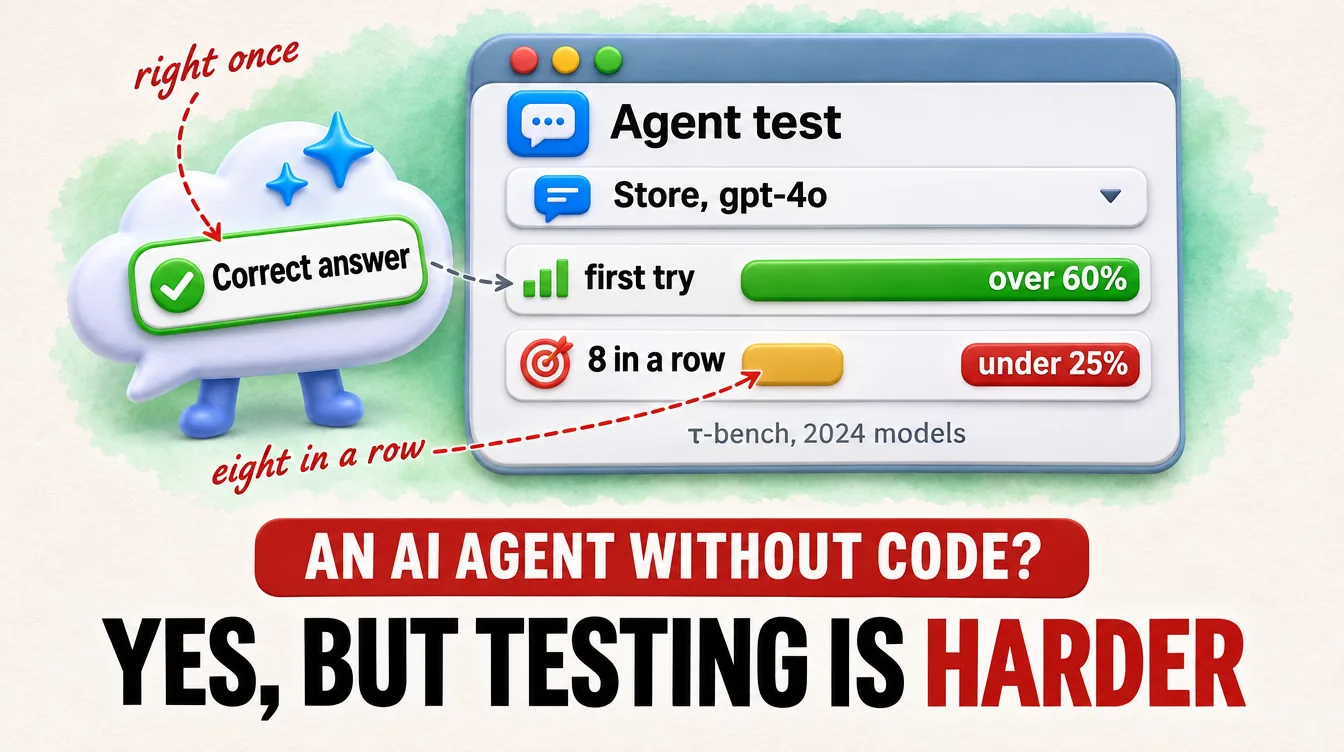
An agent that answered correctly once is not ready yet. It is ready when it is right time after time. The τ-bench agent benchmark, from a study published June 17, 2024, shows the difference. The agent served a store's customers by the store's rules, and another model played the customer.
The best agent, on gpt-4o, solved more than 60% of tasks on the first try on average. It managed to solve the same task eight times in a row in under 25% of cases. The models there are from 2024, but testing by repetition works for any agent.
Our assistant does little on purpose. Of the eight steps in its work, the model does two, and code does the other six. The reason is on its page: "the more decisions go to the model, the more often it adds things that were never on the list." How to split a task this way is covered in the article how to set a task for an AI agent.
Start with a dozen questions, not with a builder
What makes or breaks your first agent is not the platform but one routine task and the questions you will ask it many times.
- Start a table with one routine task and a dozen real questions, each with the right answer and the document it comes from.
- Decide whether you need an agent. If you have few tasks and keep them in your head, a reminder bot is enough. You need an agent when the same questions come in a steady stream. To try it, sign in to Sber's builder with Sber ID (Sber's single login) and build an agent on your own documents, then let it answer the questions from step 1. Need the bot in Telegram right away? Then use Yandex AI Studio, where you will need a Yandex Cloud account and a bot token.
- Ask each question several times, as in the store benchmark, and write the answers in the same table. We advise running all the questions again after every change to the agent.
Frequently asked questions
How is an AI agent different from a chatbot?
A chatbot answers questions, while an AI agent runs the task itself and acts on the user's behalf. In OpenAI's guide, simple chatbots where the model does not control the workflow are not counted as agents. Tools help the agent act: allowed actions such as "search" or "send."
Can you build an AI agent for free?
Yes, according to Sber's announcement, you can build a prototype for free in GigaPlatform AI Studio. The article how much an AI agent costs explains why a zero-ruble price on an agent's card does not necessarily mean "free."
How long will a first agent take?
Sber promises a first prototype in one day, but that is a company's promise, not a measurement. According to Yandex, launching a bot for students of HSE University "took about 20 minutes." That is one case, so do not treat it as a rule. We have not built an agent in these builders ourselves or timed the process. When you estimate your own timeline, include testing.